









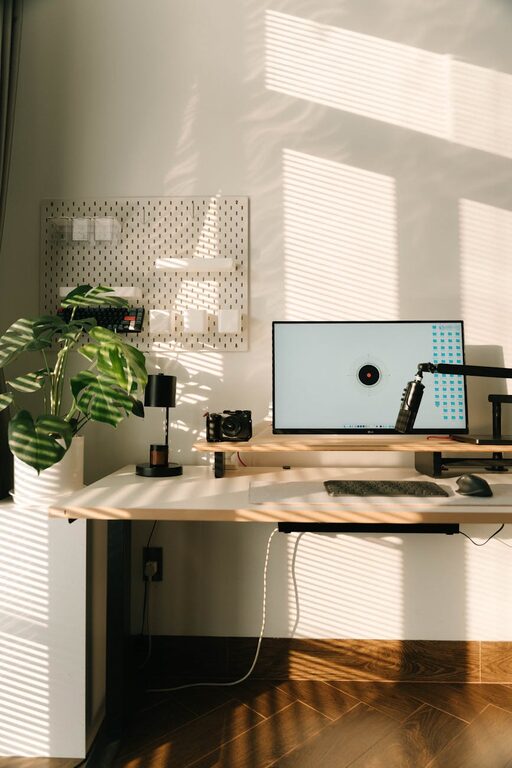
Creating a productive home office environment is essential for anyone working remotely or spending significant time on tasks at home. The right setup can help you stay focused, reduce stress, and maintain a healthy work-life balance. Whether you have a dedicated room or just a small corner, simple adjustments can transform your space into a hub of productivity.
In this post, we’ll explore practical tips to help you organize and optimize your home office so you can work comfortably and efficiently.
Choose the Right Location
Consider Natural Light and Noise Levels
Start by picking a spot in your home that offers good natural lighting. Sunlight can boost your mood and alertness, making it easier to stay focused throughout the day. Ideally, position your desk near a window. However, make sure the light doesn’t create glare on your computer screen.
Also, consider noise distractions. Choose a quiet area, away from household traffic or appliances. If you don’t have access to a quiet corner, think about noise-cancelling headphones to help maintain concentration.
Define Your Workspace Boundaries
If you don’t have a separate room, carve out a specific area that is solely for work. This helps your brain recognize when it’s time to work and when to relax, creating a clearer work-life divide.
Invest in Ergonomic Furniture
Prioritize a Comfortable Chair
A supportive chair is crucial for long periods of sitting. Look for one with adjustable height, lumbar support, and cushioning to reduce strain on your back and neck.
Use a Desk That Fits Your Needs
Your desk should be large enough to hold your computer, supplies, and essential documents, but not cluttered. Adjustable desks, including sit-stand options, can add variety and help reduce fatigue.
Position Your Screen Properly
Set your monitor at eye level to avoid neck strain. If you use a laptop, consider a stand and an external keyboard and mouse to create a more ergonomic setup.
Keep Your Workspace Organized
Declutter Regularly
A tidy desk clears your mind and makes it easier to find what you need. Remove unnecessary items and keep your essential tools within reach.
Use Storage Solutions
Shelves, drawers, and organizers help you manage papers and office supplies efficiently. Label containers for easy access and maintain order.
Digital Organization Matters Too
Keep your computer files organized with folders and clear naming conventions. Regularly back up important documents to avoid tech mishaps.
Control Lighting and Temperature
Optimize Artificial Lighting
Complement natural light with adjustable desk lamps or overhead lights that reduce eye strain. Choose warm or neutral light tones to create a soothing environment.
Maintain Comfortable Temperature
Your workspace temperature should be comfortable—not too hot or cold. If possible, use fans, heaters, or open windows to regulate airflow.
Limit Distractions
Minimize Interruptions
If others live with you, discuss your work hours and try to schedule quiet times. Use signs or signals to let them know when you can’t be disturbed.
Manage Digital Interruptions
Turn off non-essential notifications on your phone and computer while working to avoid constant interruptions.
Use Background Sound Wisely
Some people focus better with soft background music or white noise. Experiment to see what works best for you.
Personalize Your Space
Add Plants
Indoor plants can improve air quality and boost your mood. Choose low-maintenance varieties that thrive indoors.
Decorate Thoughtfully
Incorporate art, photos, or anything that inspires and motivates you without overcrowding your space.
Keep Essentials Within Reach
Have a water bottle, healthy snacks, and note-taking tools nearby to reduce breaks and maintain flow.
Establish a Routine
Set Clear Work Hours
Stick to consistent start and finish times to create structure. This helps separate work time from personal time, reducing burnout.
Take Regular Breaks
Short breaks help refresh your mind and body. Try the Pomodoro Technique or simple stretches every hour.
Plan Your Day
Make a to-do list or use digital planning tools to prioritize tasks and track progress.
Use Technology to Your Advantage
Reliable Internet Connection
Ensure your Wi-Fi is stable to avoid disruptions during meetings or data transfers.
Useful Apps and Tools
Explore apps for task management, communication, and focus enhancement. Choose those that simplify your workflow instead of complicating it.
Backup Solutions
Regularly save your work using cloud storage or external drives to prevent data loss.
—
By following these straightforward tips, you can create a home office environment that supports productivity, comfort, and well-being. Small changes can make a big difference in how effectively you work and how enjoyable your workspace feels.
Remember, the key is to tailor your environment to suit your personal needs and preferences. Experiment, adjust, and create a space where you feel motivated and ready to tackle your tasks every day.