




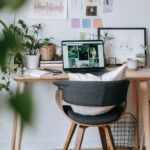
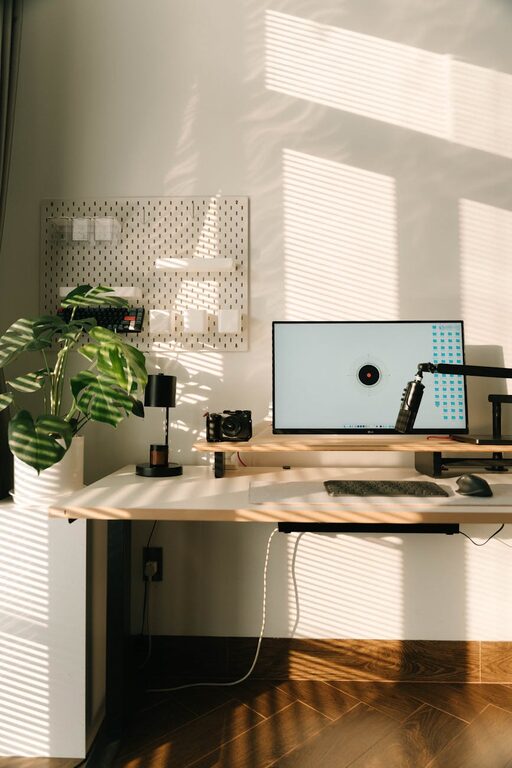
Creating a home office that is both cozy and productive can greatly enhance your work-from-home experience. Whether you use the space for full-time remote work, occasional tasks, or creative projects, designing an environment that feels comfortable and supports focus is key. In this guide, we’ll explore practical tips to help you build a home office space that encourages efficiency without sacrificing warmth or style.
Choose the Right Location
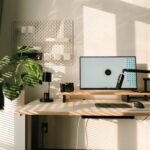
Selecting a suitable spot for your home office sets the foundation for everything else. Try to find a quiet corner or room with minimal distractions and enough space for your needs. Ideally, it should have natural light, as sunlight can boost mood and energy levels.
If space is limited, a small nook or part of a living area can work well, as long as you can personalize it and keep it organized. Consider proximity to power outlets and internet access to avoid extra cords or signal issues.
Invest in Comfortable Seating
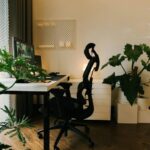
Your chair might be the most important piece of furniture in your home office. An ergonomic chair that supports your posture helps prevent discomfort and fatigue during long work sessions. Look for adjustable options that support your lower back, encourage good sitting habits, and allow you to move freely.
If you prefer, you can use a supportive cushion or footrest to improve comfort further. Remember, comfort leads to better focus and less strain on your body.
Optimize Desk Space and Storage
A cluttered desk can quickly become distracting and stressful. Choose a desk that fits your space and meets your needs — it should be large enough for your computer, notebook, and other daily essentials but not so big that things get lost.
Incorporate storage solutions like shelves, drawers, or filing cabinets to keep documents, supplies, and gadgets tidy. Organizers, trays, and cable management tools can help reduce mess and keep your workspace neat.
Keeping only necessary items on your desk ensures you stay focused on tasks, creating an environment where creativity and productivity flow.
Control Lighting for Comfort and Focus
Lighting plays an important role in both comfort and productivity. Natural light is ideal, so position your desk near a window if possible. If natural light is limited, investing in good quality artificial lighting is essential.
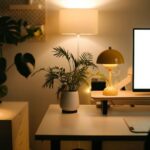
Use a combination of overhead lights and task lighting such as desk lamps with adjustable brightness. Avoid harsh glare or flickering, which can strain your eyes. Warmer light tones often feel cozier, while cooler light is better for focus, so find a balance that suits your preferences.
Personalize Your Space Thoughtfully
Adding personal touches makes your home office feel inviting and can motivate you throughout the day. Consider adding plants, artwork, or inspirational quotes that reflect your personality.
Choose calming colors for walls or accessories, like soft greens, blues, or neutrals, which create a relaxing atmosphere. However, keep decorations minimal to avoid clutter and distraction.
A cozy throw blanket, a small rug, or some cushions can make the space feel more inviting without sacrificing professionalism.
Minimize Distractions
To maintain productivity, minimize interruptions and distractions. Establish boundaries with others in your household about your working hours and space.
Use noise-canceling headphones or play gentle background music if ambient noise is an issue. Turn off unnecessary notifications on your devices and consider apps that help block distracting websites during work.
A dedicated workspace also signals to your brain that it’s time to focus, which can improve concentration.
Establish a Routine and Keep it Tidy
A clean and well-organized workspace supports a productive mindset. Make it a habit to tidy your desk at the end of each day, filing papers and clearing clutter.
Setting up routines — such as starting your day with a quick stretch or planning your tasks before beginning work — can also boost efficiency.
Keeping your home office space organized helps reduce stress and makes it easier to jump into work without delay.
Add Functional Technology
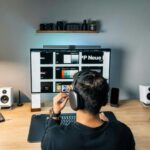
Having the right technology can make your work smoother and more enjoyable. Ensure your computer, monitor, keyboard, and mouse are reliable and set up ergonomically.
Consider investing in a second monitor if you work with multiple programs or documents. Also, ensure your internet connection is stable, and keep necessary accessories like printers, chargers, and external drives within reach.
Using technology that suits your workflow helps save time and reduces frustration.
Include Elements for Breaks and Movement
Sitting for long periods isn’t ideal for health or productivity. Incorporate elements that encourage movement: a standing desk converter allows you to switch between sitting and standing.
Nearby space for stretching or a comfortable chair for short breaks can refresh your mind. Even a few minutes away from the screen can improve focus and reduce fatigue.
Final Thoughts
Designing a home office that balances coziness and productivity is about creating a space that feels pleasant yet functional. By choosing the right location, investing in ergonomic furniture, optimizing lighting, and keeping clutter at bay, you can build a workspace that supports your best work.
Remember to personalize your office to reflect your style and make it inviting. Small changes can make a big difference in how you feel and perform during your workday. With these tips, you can enjoy a comfortable, efficient home office that keeps you motivated and focused.